How to Schedule NBI Online Appointment Without Errors
Scheduling an NBI online appointment is now the easiest way to get your NBI clearance Philippines for work, travel, business, or government requirements. The system is designed to be simple, but small details like the spelling of your name, the branch you choose, or payment steps can affect how smooth your experience feels.
This guide shows you how to schedule an NBI online appointment without errors—step by step. You’ll see what to prepare, how to register, how to pick your branch, date, and time, and what to double-check so everything goes perfectly on your appointment day.
Why an NBI Online Appointment Is Important
The NBI uses an online appointment system so that:
- Every applicant has a clear NBI appointment schedule
- Branches can manage queues and biometrics capture smoothly
- You can choose a convenient date, time, and NBI clearance center
- You know exactly what to bring and where to go
For most applicants, walk-in processing is no longer encouraged, so having an NBI clearance online appointment keeps your visit organized and faster.
Before You Start: Prepare for a Smooth Appointment
- Active email and mobile number
You’ll use these for NBI online registration 2025, OTP codes, and login.
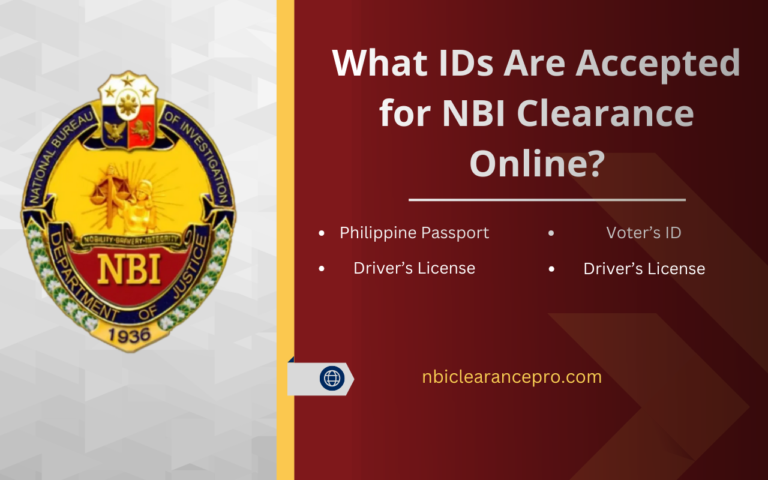
- Valid government IDs
Make sure your IDs are still valid, and the spelling of your name is clear. These are part of the NBI clearance requirements.
- Consistent personal details
Match your name, birthday, and other details with your IDs and PSA documents. This supports accurate identity verification.
- Ideal branch and date in mind
Think about which NBI clearance center is closest to you and which day you are truly free (no exams, no big meetings).
Step-by-Step: How to Schedule an NBI Online Appointment
Step 1 – Go to the NBI Clearance Website and Register
Open your browser and go to the official NBI clearance online portal.
Choose the correct registration path:
- First-time job seekers may use a special path or portal.
- Applicants with an NBI clearance issued from 2014 onwards can register using their old NBI ID number.
- Applicants without a 2014+ clearance use the standard registration form.
Fill in your basic details: gender, civil status, full name, birth date, mobile number, and email.
Create a secure password and confirm it.
Accept the terms of service, complete the “I’m not a robot” security check, and submit.
Step 2 – Sign In and Complete the NBI Clearance Application Form
- Go back to the same website and click Sign In.
- Enter your registered email and password, then log in.
- Click on Clearance Application or Apply for Clearance.
- Fill in the online form with your personal details, including:
- Full name (as shown on your IDs)
- Birthplace and birth date
- Complete address
- Occupation and purpose of clearance
- Identifying marks, height, weight, complexion
Take your time here and keep everything consistent with your documents. This helps your NBI clearance Philippines record stay accurate for future NBI clearance renewal.
Step 3 – Choose Your NBI Branch
- Click on the option to Apply for Clearance or proceed to scheduling.
- A list of NBI clearance centers will appear.
- Select the branch that is:
- Closest to your home, work, or school
- Easy to reach by your usual transport
- Comfortable for your daily routine
You will visit this branch on your chosen date, so choose wisely.
Step 4 – Pick Your NBI Online Appointment Date and Time
Once you’ve chosen your branch, the system will show available schedules:
- View the calendar and see open slots for your chosen NBI appointment schedule.
- Select a date when you are completely free and relaxed.
- Choose a time that works best for you (morning or afternoon).
Slots are given on a first-come, first-served basis, so earlier booking usually gives you more choices. If your preferred day looks full, try another day or a nearby branch with more open slots.
Step 5 – Choose Payment Method and Pay the NBI Clearance Fee
After you confirm your schedule, the system will show your NBI clearance fee and payment options:
- Check the amount (commonly around a base fee plus a small system or service fee, depending on the channel).
- Choose your preferred payment method, such as:
- Payment centers (e.g., 7-Eleven, Bayad Center, etc.)
- Online banking or e-wallets
- Over-the-counter bank payments
- Follow the instructions for your chosen channel and complete the payment within the indicated time.
- Keep your payment receipt—it’s useful during your NBI online appointment.
Step 6 – Save Your Reference Number and Appointment Details
After successful payment, the system will show your reference number and appointment summary:
- Take a screenshot of the page.
- Write down the reference number in a safe place.
- Print your confirmation page or application form.
Simple Checks to Keep Your NBI Appointment Error-Free
To keep your NBI online appointment smooth and worry-free, gently recheck these areas:
- Name and birth date
Make sure they match your IDs and previous NBI records. This supports clean, accurate matching in the system.
- Email and mobile number
Confirm that both are typed correctly so you receive OTP codes and notifications.
- Branch, date, and time
Look again at your chosen NBI clearance center and appointment schedule before confirming.
- Documents to bring
Prepare at least one or two valid IDs, your reference number, and any extra documents that apply to your case (e.g., Barangay clearance for first-time job seekers).
- Arrival time
Aim to arrive a little early. This gives you a relaxed start for biometrics, photo, and releasing.
FAQs

Final Verdict
Learning how to schedule an NBI online appointment without errors is all about calm preparation and careful clicks. With a valid email, consistent personal details, the right NBI clearance center, and a schedule that truly fits your day, the whole process becomes simple and predictable. By following these steps—registering your account, completing your NBI clearance online application, choosing a convenient branch, scheduling your date and time, and paying the NBI clearance fee on time—you set yourself up for a smooth, positive experience from online booking to the moment you receive your NBI clearance.