NBI Clearance online application: Philippines 2026 Guide
Applying for NBI Clearance is easier when you follow one precise online flow from registration to biometrics. This 2026 guide explains the NBI Clearance online application in simple steps, so first-time applicants, students, employees, and OFWs can complete the process confidently and stay organized for future transactions.
Quick Summary
- Complete nbi clearance online registration and fill out your profile details
- Set your NBI online appointment by selecting a centre, date, and time
- Review NBI clearance fees and pay using available channels, including NBI clearance payment via GCash
- Attend biometrics for photo and fingerprints, then follow the release instructions
- Understand NBI HIT status so you can plan your pickup schedule smoothly
Why it matters (Benefits)
A complete online application gives you a clear appointment schedule, a reliable payment record, and a profile you can reuse later. Many applicants enjoy a smoother visit when their details match their valid ID and their appointment is fully prepared. Your account also supports the NBI clearance renewal process, which helps your subsequent request feel faster and more familiar. Your NBI clearance validity becomes easier to track when your records stay consistent.
NBI Clearance online application: Step-by-step (2026)
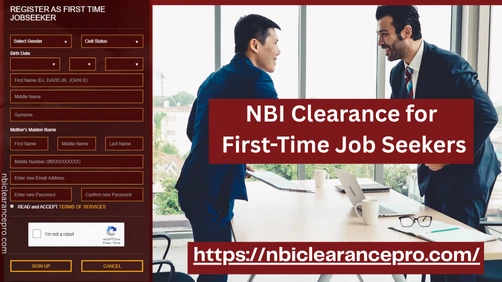
Step 1: Create an account (NBI Clearance Online Registration)
- Open the official NBI Clearance online portal and select “Register.”
- Enter your email, create a strong password, and complete verification.
- Log in and keep your login details saved securely for future use.
Step 2: Complete your profile information
- Fill in your full name, birth details, address, and contact number.
- Review spelling and numbers so they match your chosen ID.
- Save your profile and continue to the application section.
This profile setup supports a smooth NBI clearance online application experience because it keeps your records consistent.
Step 3: Choose your purpose and ID details
- Select the purpose (employment, travel, school, business, and more).
- Choose one valid government ID type and enter the ID number.
- Prepare the same ID to bring on your appointment date.
This step aligns closely with NBI clearance requirements and helps your verification feel straightforward.
Step 4: Set your NBI online appointment
- Select your preferred NBI centre/branch.
- Choose an available date and time slot that fits your schedule.
- Confirm your booking and save your reference number.
Your NBI online appointment gives you a clear plan for biometrics and release instructions.
Step 5: Review NBI clearance fees and pay (GCash included)
After scheduling, the Portal displays the total amount and available payment channels. Many applicants use e-wallet options, online banking, or partner payment centres based on what the Portal offers at checkout.When you choose NBI clearance payment via GCash, the reference number and exact amount shown on the Portal guide your payment step. A confirmed status inside your account creates a smooth appointment-day experience.
Step 6: Visit the NBI centre for biometrics
On your appointment day:
- Arrive early with your valid ID and reference number details.
- Proceed to photo capture and fingerprint scanning as guided.
- Follow the release instructions given after biometrics.
NBI clearance dress code: neat, bright casual clothing supports a professional photo and a confident look.
Step 7: Claim your clearance and save your record
After biometrics, you receive a release schedule. Many applicants receive clear pickup instructions, and your account remains useful for tracking details later.
Requirements checklist (Simple and practical)
Here’s a helpful checklist for your appointment day:
- Active email and mobile number for account access
- Appointment reference number (screenshot or printed copy)
- At least one valid government-issued ID (same ID used online)
- Personal details that match your ID (name spelling, birthdate, address)
This checklist supports anyone doing nbi clearance application online with a smooth, organized routine.
Fees, payment options, and processing time (Table)
The portal shows your exact total during checkout, and the amount often includes a processing fee plus a service fee. Processing timelines depend on verification results and center workload.
| Item | What to expect | Helpful notes |
| NBI clearance fees | Portal shows exact total | Total often includes service charges |
| Payment options | E-wallets, online banking, payment partners | Includes NBI clearance payment via GCash when available |
| Biometrics time | Usually completed on appointment day | Photo + fingerprints happen at the center |
| Release timeline | Same day or scheduled pickup | Release depends on verification results |
| NBI HIT status | Scheduled return date for verification | Extra checking helps confirm identity clearly |
Processing time and NBI HIT status (Easy explanation)
Many applicants receive a smooth release schedule after biometrics. Some applicants see NBI HIT status, which usually means the system found a name match that needs verification. This verification step often comes with a return date, and the process feels more organized when your details match your ID and your supporting documents are ready.
Common issues & easy fixes
Account and login flow
A smooth login experience comes from using an active email and saving your password securely. Your profile stays easier to manage when your details stay consistent across sessions.
Appointment slots
Many applicants find more options by checking other nearby centres and selecting earlier time windows.
Payment confirmation
Payment confirmation improves when you use the exact reference number and amount shown on the Portal. Your account status becomes your best guide for appointment readiness.
Profile detail matching
A consistent spelling of your name and a matching birthdate make verification feel more straightforward and more predictable.
Tips to avoid delays
- Keep your chosen ID ready one day before your appointment
- Save your reference number as a screenshot and in your notes
- Arrive early with a calm routine and complete requirements
- Choose neat clothing that supports a clear photo
- Plan for the NBI clearance renewal process by saving your current clearance details
- Track your NBI clearance validity so renewals feel timely and smooth
FAQs

Final Verdict
The NBI Clearance online application becomes simple when you follow the correct order: complete NBI Clearance online registration, set your NBI online appointment, review NBI clearance fees, complete NBI clearance payment via GCash when available, and attend biometrics on schedule. For more step-by-step guides written for beginners, explore NBI Clearance Pro.